
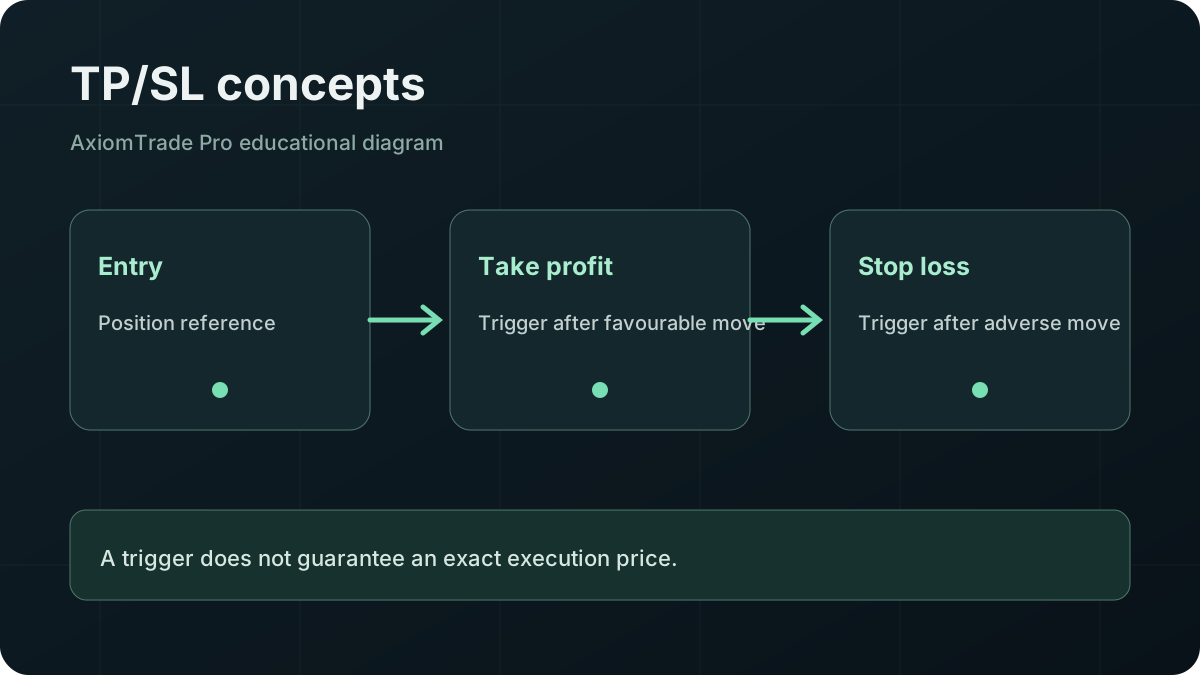
A take-profit condition is intended to close or reduce exposure after a favourable price move; a stop-loss condition is intended to act after an adverse move. Axiom’s official Portfolio documentation verifies that open perpetual positions display TP/SL settings, but its current public documentation does not fully specify every live control, order type or partial-exit option. Open the relevant position or order panel, read the current labels, confirm whether the input is a price or percentage, review size and direction, and understand that reaching a trigger does not guarantee execution at that exact price.
01 / DEFINITIONS
What Take Profit and Stop Loss Mean
A take-profit order creates an instruction intended to realise some or all of a favourable move when a selected condition is met. A stop loss creates an instruction intended to reduce exposure after an adverse move. Neither decides whether the original position was sensible, and neither guarantees a profit or maximum loss.
For a long position, a take-profit trigger is normally above entry and a stop trigger below it. For a short position, the directions reverse: a lower price can be favourable and a higher one adverse. Product rules determine the reference price, supported order type and closing mechanics.
02 / ORDER LIFECYCLE
How TP/SL Orders Work Conceptually
A conditional order usually has two stages. First, a reference price reaches a trigger condition. Second, the venue submits or activates an execution instruction. A market-style exit prioritises attempting execution over a precise price; a limit-style exit constrains price but may remain unfilled. A venue may implement other rules, so the live order ticket and product documentation control.
| Control | Intended purpose | Does not guarantee |
|---|---|---|
| Take profit | Attempt an exit after favourable movement | A fill, exact price or positive net PNL |
| Stop loss | Attempt an exit after adverse movement | A fixed maximum loss |
| Trigger | Activate the next order stage | That executable liquidity exists there |
| Limit price | Constrain acceptable execution | That the order will fill |
03 / VERIFIED SCOPE
Where to Find Axiom TP/SL Controls
Axiom’s official Portfolio page says open perpetual positions show entry price, mark price, liquidation price, margin used and TP/SL settings. Its Hyperliquid trading guide also documents Perpetuals, open positions and open orders. Those sources verify the feature context, but they do not provide enough current detail to assert an exact button sequence.
In the live interface, start from the Perpetuals area and inspect the open-position or order controls. Confirm that the selected pair and account are correct, then read every label before entering values. Interface wording can change. The Axiom perpetuals guide explains leverage, margin and liquidation context; the general Axiom walkthrough covers platform orientation.
04 / PRODUCT DIFFERENCES
Spot Trading Versus Perpetual TP/SL
A spot sale disposes of tokens held in a wallet or account. A perpetual exit reduces or closes derivative exposure. Perpetual risk includes leverage, margin, mark-price conventions, funding and liquidation; a stop can be reached before or after those other mechanisms materially affect the account.
Axiom separately documents spot limit orders and perpetual position TP/SL fields, but that does not prove identical conditional-order capabilities across both products. Do not copy a perpetual workflow into spot trading or assume every token supports the same order type. Verify the product, settlement asset and current controls.
05 / PRICE DIFFERENCE
Trigger Price Versus Execution Price
The trigger price answers “when should the exit instruction activate?” The execution price answers “where did it actually fill?” Between those events, liquidity can change, the order can wait in a queue, and prices can move. Fast markets can gap through a trigger; shallow markets can produce significant price impact.
The price source matters too. A venue may use mark, last, oracle or another reference depending on product design. Never assume that the chart’s visible last trade is the trigger source. Confirm the displayed reference and order type.
06 / POSITION SIZE
Partial Exits and Multiple Targets
Splitting a position across targets can reduce exposure in stages, but support varies by venue and product. We did not find sufficient current public Axiom documentation to confirm a universal multiple-target or partial TP/SL workflow. If the live interface exposes a size field or multiple conditional orders, confirm that their combined closing size cannot exceed the open position and understand how reducing the position affects remaining orders.
If those controls are absent, do not improvise from an old screenshot or another platform’s instructions. An unsupported claim here could cause the wrong order to be placed.
07 / EXECUTION LIMITS
Slippage, Liquidity and Failed Execution Risks
A stop can activate when the market is moving fastest. Market-style execution may fill materially beyond the trigger, while a restrictive limit can remain unfilled. Insufficient liquidity, exchange safeguards, network or infrastructure problems, account conditions and order conflicts can also prevent or delay execution.
The Axiom slippage guide explains quote-to-execution differences. Review fees and transaction costs separately because a profitable gross move can still produce weaker net PNL.
It is an order instruction subject to product, market and infrastructure conditions. Loss can exceed the distance between entry and trigger.
08 / HYPOTHETICAL EXAMPLES
Long and Short Position Examples
Hypothetical long
Assume a long opens at 100 units of price. A take-profit trigger is considered at 112 and a stop at 94. If the stop activates during a rapid move and the closing order averages 92, the realised exit is not 94. Fees, funding and position size further affect net PNL. These numbers illustrate direction only and are not suggested settings.
Hypothetical short
Assume a short opens at 100. A lower trigger at 88 would be favourable, while a protective trigger at 106 would respond to an adverse rise. If price jumps from 105 to 109 without sufficient executable depth at 106, the resulting close can be worse than the trigger. Leverage magnifies the effect relative to posted margin.
09 / BEFORE CONFIRMING
How to Review a TP/SL Order
- Confirm spot or perpetual product, pair, direction and account.
- Identify the trigger-price source shown by the live interface.
- Check whether the value is price, percentage, PNL or another measure.
- Verify closing size and whether the order reduces rather than adds exposure.
- Read whether activation creates a market, limit or other order.
- Check existing orders for conflicts or excessive combined size.
- Estimate fees, funding where relevant, liquidity and slippage.
- Review the final summary and order status after submission.
Use the Axiom safety checklist before approving unexpected wallet or account actions.
10 / COMMON ERRORS
Common TP/SL Mistakes
- Placing long and short triggers on the wrong side of entry.
- Confusing a trigger with a guaranteed fill price.
- Entering a percentage when the field expects a price, or vice versa.
- Ignoring whether the order closes the full position or only a portion.
- Using the chart’s last price without checking the trigger source.
- Forgetting fees, funding, slippage and price impact.
- Assuming a stop will always beat liquidation.
- Failing to confirm that a submitted order is active.
11 / PRIMARY EVIDENCE
Sources and Method
Checked 19 October 2026. Verified claims are limited to these official pages. Current control placement, trigger source, partial exits and multiple targets remain live-interface checks rather than asserted features.
12 / FAQ
Frequently Asked Questions
Does Axiom have TP/SL?
Axiom’s Portfolio documentation states that open perpetual positions display TP/SL settings. Verify current availability and controls in the live product.
Does a stop loss guarantee my exit price?
No. The trigger can activate an order, but liquidity and market movement determine whether and where it fills.
Can a stop loss prevent liquidation?
Not with certainty. Trigger timing, venue rules, price gaps and execution conditions can prevent a stop from closing first.
Are spot and perpetual TP/SL controls identical?
Do not assume so. They represent different products with different position, settlement and risk mechanics.
Can I set several take-profit targets?
Current public documentation does not establish universal support. Check the live position panel and order rules.
Why can net PNL differ from my target?
Execution price, fees, funding, position size and other costs can make net PNL differ from a trigger-based estimate.
13 / THE TAKEAWAY
Define the Trigger, Then Understand the Exit
A TP/SL plan is incomplete until you know what triggers it, what order follows, how much exposure it closes and what can prevent execution. Verify the current Axiom controls, treat every target as conditional and never interpret a stop as a guaranteed loss ceiling.